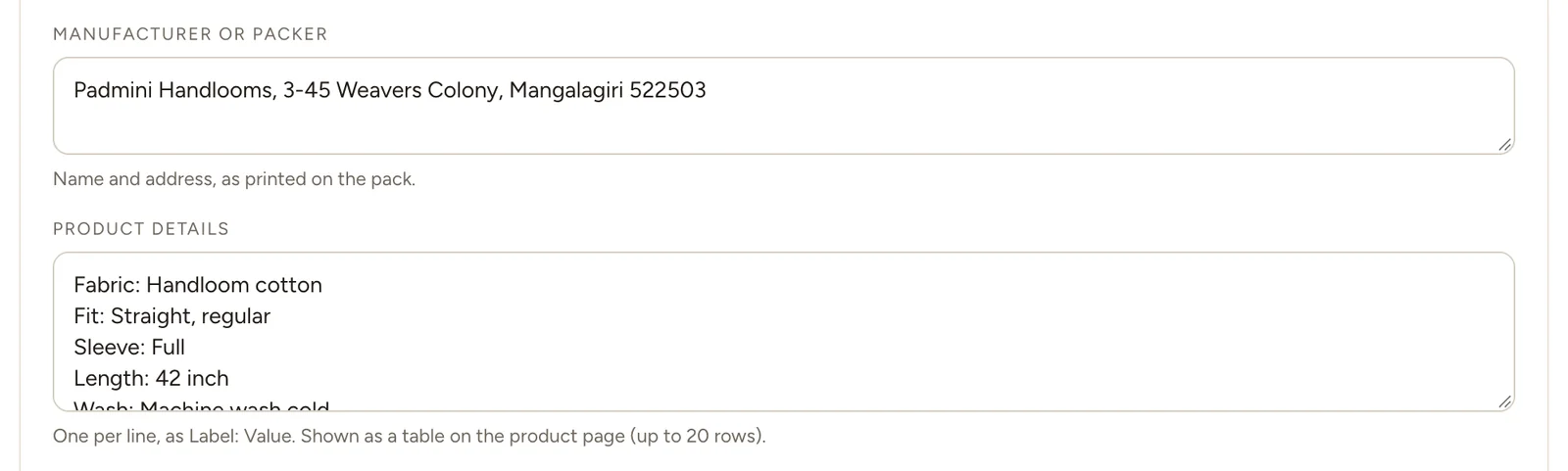
The Product details field turns plain lines into a table on the product page. You type one detail per line, as a label, a colon and a value, and the page shows them as a neat list under the description, or beside it on a wide screen. The field takes up to 20 rows.
This is free text rather than a fixed set of boxes, because no one set of columns fits a saree, a mixer grinder and a jar of pickle. Typing a line is also faster on a phone than tapping Add row.
How to write it
Each line is Label: Value. The part before the first colon is the label, the rest is the value.
For a saree:
Fabric: Cotton
Length: 6.3 metres with blouse piece
Blouse: Unstitched
Wash: Hand wash cold
For a mixer grinder:
Power: 750 W
Jars: 3
Warranty: 2 years from the maker
For a pickle:
Weight: 250 g
Ingredients: Mango, mustard oil, salt, chilli, spices
Keeps for: 6 months unopened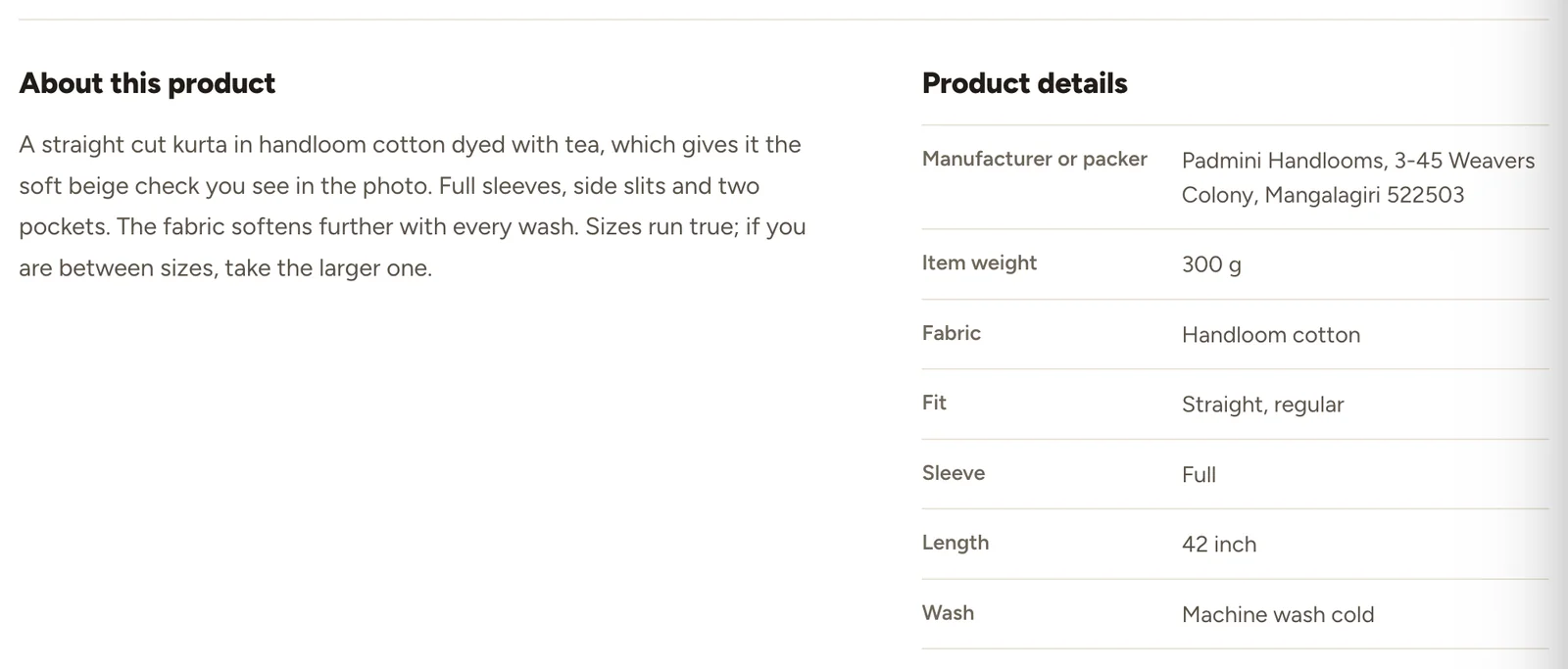
The rules the field applies
- A line with no colon is kept as a single full-width row, so a note like "Colour may vary slightly from the photo" still shows.
- A line with a label but nothing after the colon is dropped.
- A label can be up to 60 characters and a value up to 200. Anything longer is cut at that point.
- Only the first 20 lines are used.
Blank lines are ignored, so you can leave gaps while you type.
What goes here and what goes in the description
The table is for facts a buyer compares: measurements, materials, weight, what is included, warranty. The description is for the sentences around them. The manufacturer's name and address have their own field, see manufacturer or packer.