Blocking someone puts a wall between the two of you on Sagazo. They aren't told, and you can unblock them whenever you like.
Where to block
- On their profile, press the block button next to the flag. In the app, press the three-dot menu on the profile, then Block.
- On one of their posts, press the three-dot menu, then Block user.
- In a chat with them, press the three-dot menu at the top, then Block.
- On a message they sent, open its menu, then Block.
- In a circle's Members tab, press the block button on their row.
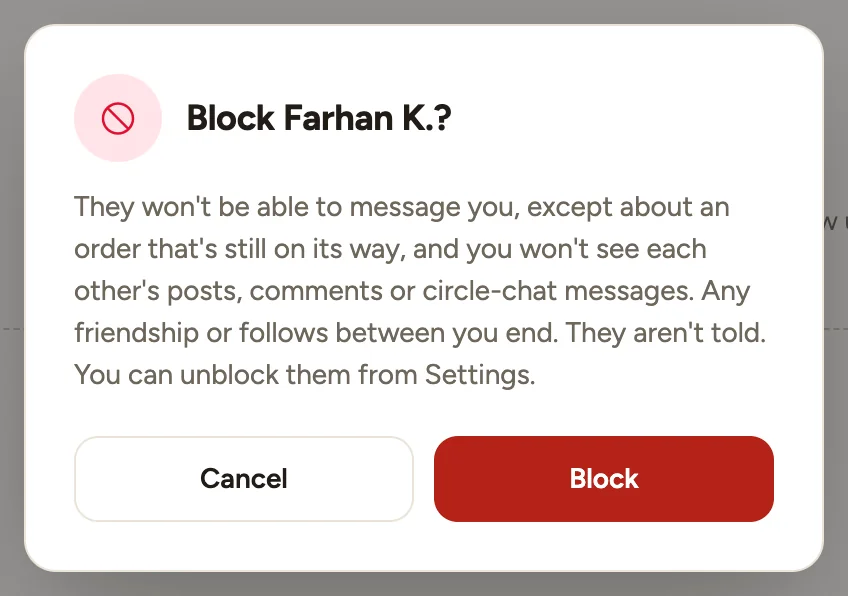
Sagazo asks you to confirm first.
What a block does
- Neither of you can message the other. Your earlier messages stay readable. If one of you is waiting for an order from the other's shop, that chat stays open until the order is delivered or cancelled.
- You stop seeing each other's posts and comments, everywhere on Sagazo.
- In a circle's chat you don't see each other's messages. The other members still see both of you.
- A friendship or friend request between you ends. So do follows, of each other and of each other's shop. While the block lasts, neither of you can follow the other or send a friend request.
- A mention of you by them sends you nothing.
They are not told, and Sagazo never shows anyone that they were blocked. You can both still see each other's shops and products.
Unblock someone
- On the website: open Settings, then the Blocked tab, and press Unblock. Unblock is also on their profile and in your chat with them.
- In the app: open Settings, then Blocked Users, under Privacy.
Unblocking doesn't bring back a friendship or a follow. Send a new friend request or follow them again if you want to.
If they are breaking our rules, report them as well as blocking them. See Reporting something.