Use our safety form if someone on Sagazo has shared a picture or video of you nude or in a sexual act, has faked one to look like you, or is pretending to be you. We act on these within 2 hours.
If you or anyone else is in danger right now, call 112.
How to send it
- Open the safety form. On the website anyone can use it, logged in or not. In the app you need to be logged in.
- Under "Who is this about?", choose Me, or Someone I'm acting for.
- Add the link to each post or profile. Open it and copy the address from your browser, or press Share. For a chat message, give the sender's profile link and say what the message said.
- Say what is wrong in your message, and give an email address where we can reach you. Then send it.
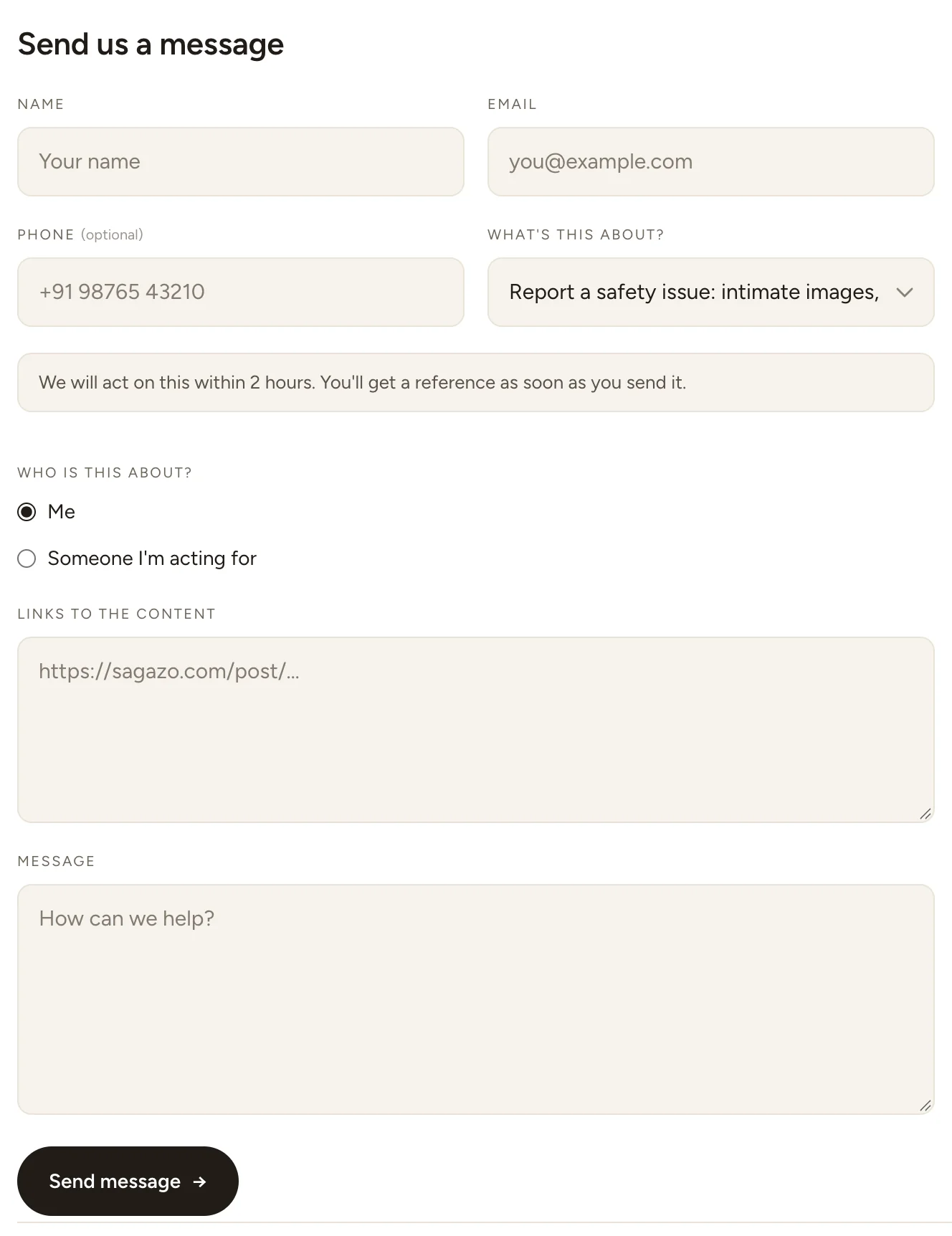
You get a reference number, starting with C, as soon as it is sent. If you are logged in, it also arrives in your notifications.
What we do
We look at what you sent and act on it within 2 hours. Then we tell you what we decided: in your notifications if you sent it while logged in, otherwise by email.
Sending it for someone else
A friend, a relative or anyone helping the person can send it for them. Choose Someone I'm acting for, and say in the message who it is about.
A child at risk
Send anything that puts a child at risk through the same form, or report it with the reason Puts a child at risk. If a child is in danger right now, call 112 or Childline on 1098.
Telling the police
Sharing such pictures of someone without their consent is a crime in India. You can also report it to the police at cybercrime.gov.in.
For anything else that bothers you on Sagazo, the quicker route is the Report button. See Reporting something.