If something on Sagazo breaks our Community Guidelines, report it. You need to be logged in. We never tell the person you reported that it was you.
Where to find Report
- A post: press the three-dot menu on the post, then Report.
- A comment: press ⋯ next to the comment, then Report.
- A profile: press the flag next to Share on their profile. In the app, press the three-dot menu on the profile, then Report.
- The person you are chatting with: press the three-dot menu at the top of the chat, then Report.
- A chat message: open the message's menu, then Report.
- A circle: press Report under the circle's name.
- A shop: press the flag next to Share on the shop's page.
- A product: press Report this product, under the buttons on its page.
You can't report your own posts, profile, shop or products.
Choose a reason
Pick the reason that fits best:
- Spam
- Scam or fraud
- Harassment or bullying
- Hate against a group of people
- Nudity or sexual content
- Violence or threats
- Puts a child at risk
- Suicide or self-harm
- False information
- Pretending to be someone
- Shares someone's private information
- Copyright or trademark
- Selling something that isn't allowed (posts, products and shops)
- Something else
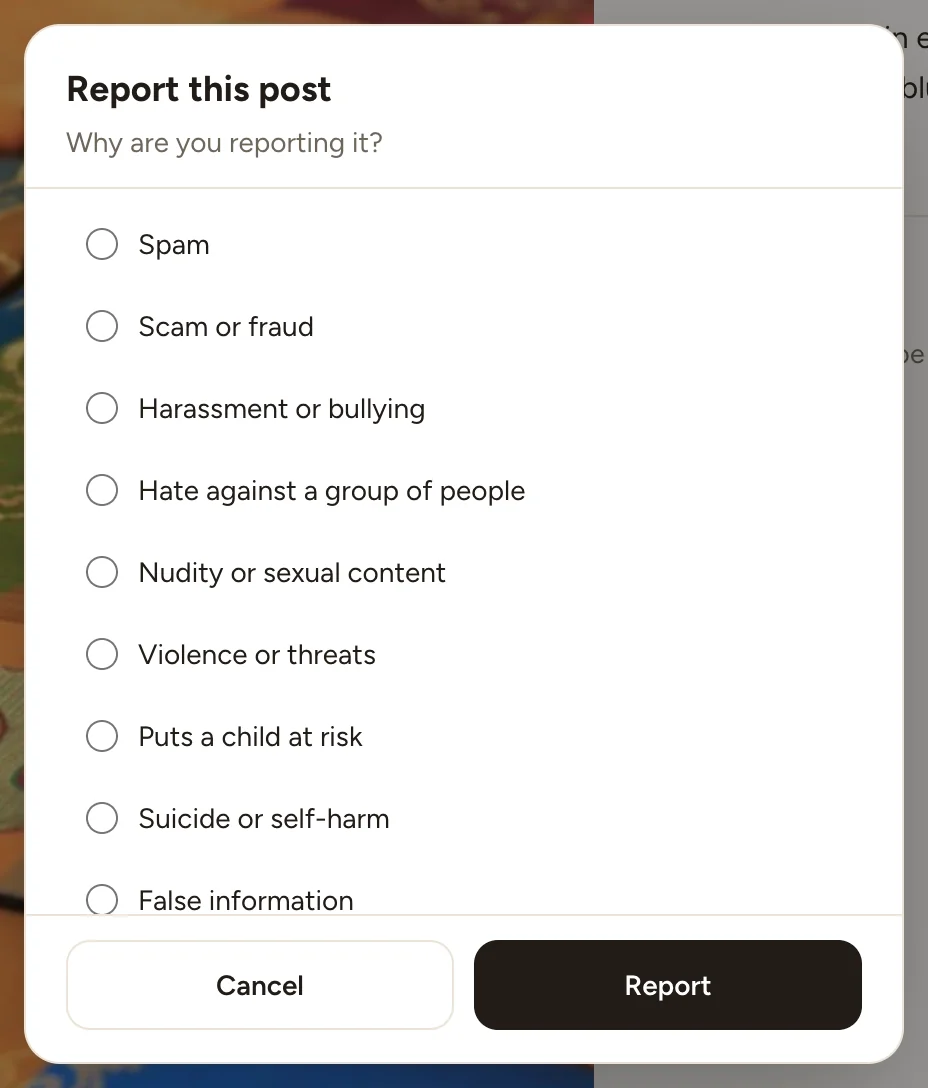
You can add a note of up to 500 characters, such as what is wrong or where to look in a long post. Then press Report.
When it is about you
If something shows you nude or in a sexual act, pretends to be you, or shares your private details, use our safety form as well. We act on those within 2 hours. See Intimate pictures and impersonation.
When a child is at risk
Choose Puts a child at risk. We treat these reports as urgent. If a child is in danger right now, call 112 or Childline on 1098.
Limits
You can report the same thing once. If you try again, Sagazo says you already have, and we let you know what we decide. You can send up to 20 reports in an hour.
To find out what happens next, see What happens after you report.