Deleting your account can't be undone. Your personal data is erased straight away. What you shared with other people stays, under the name [deleted user], so their chats and circles still make sense.
How to delete it
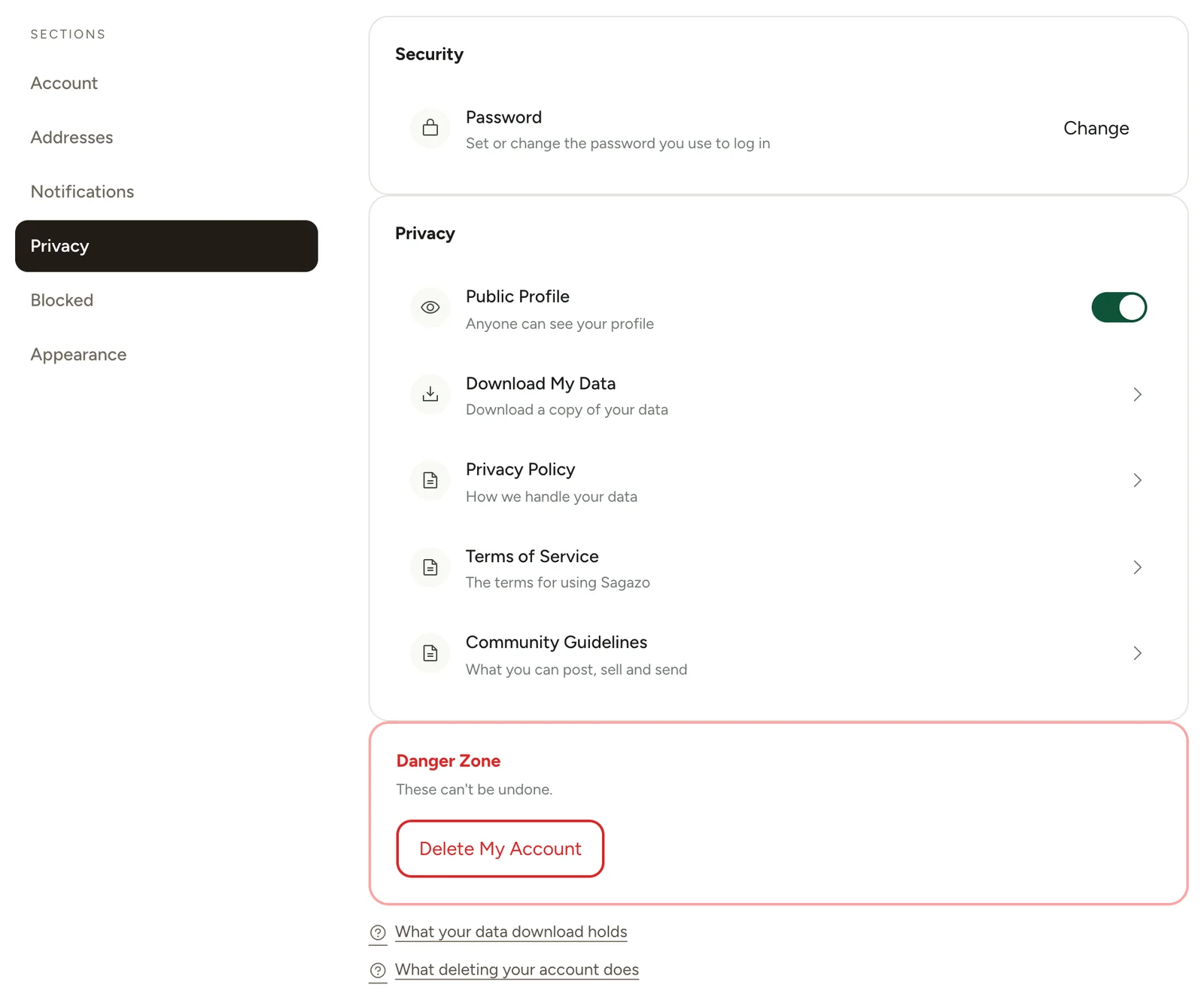
- On the website: open Settings, then the Privacy tab. Under Danger Zone, press Delete My Account, read the box and press Delete permanently.
- In the app: open Settings, scroll to the very bottom and press Delete My Account.
Nothing more is asked. You are logged out and taken to the home page.
What is deleted
Your profile and photo, your friends and the people you follow, your followers, your reactions and poll votes, what you saved, your notifications, the people you blocked, your addresses, your cart and the reports you made.
What stays, as [deleted user]
- Your posts, comments and chat messages
- Circles you created
- Orders you placed, kept as sales records for the seller without your name, address or phone
Orders that haven't been sent yet are cancelled, and their sellers are told.
If you have a shop
Your shop closes and its products come off sale for good. They are kept only so that orders people already placed still show what they bought.
What we keep for 180 days
The law asks us to keep your registration details for 180 days after you delete your account: your phone number, name, username, account number and dates. Only our administrators can see them, and we delete them after that.
Before you go
- Download your data first if you want a copy. See Downloading your data.
- If you run a circle, make another member an admin first. A circle you created stays, but nobody can run it unless it has another admin.
The same phone number can make a new account straight away, but the new account starts empty. Nothing from the old one comes back.