The Inventory page lists only the products a buyer cannot order right now. Everything else stays out of the way. When the page says Everything's in stock, there is nothing to do.
A product lands here for one of two reasons, and the page says which:
- Marked out of stock. You pressed Out of stock on it, or used the bulk change.
- Every size empty. It has sizes, and every one of them is at zero, usually because orders used them up.
The number next to Inventory in the rail is how many products are on this page.
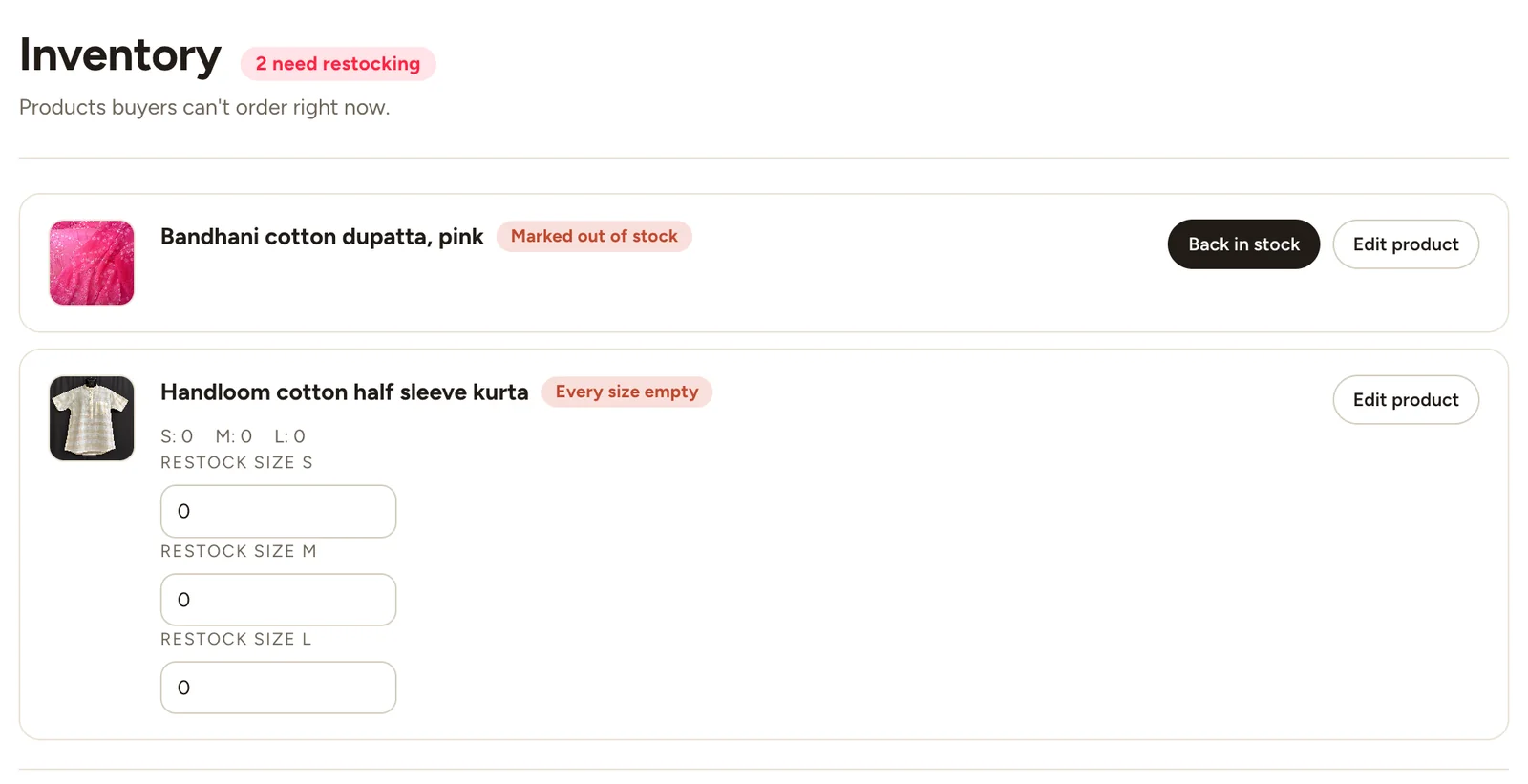
Restocking from here
For a product with sizes, each empty size has a box labelled Restock size, with the size's name. Type how many you now have. It saves as you type, the size is back on sale at once, and when at least one size has stock the product leaves this list.
For a product without sizes, press Back in stock.
If you would rather stop selling the product, leave it here. It does no harm on this page, and it stays on your shop page marked out of stock so a buyer knows it exists. To remove it altogether, press Remove next to it on the Products page; that works only for a product nobody has ordered yet.