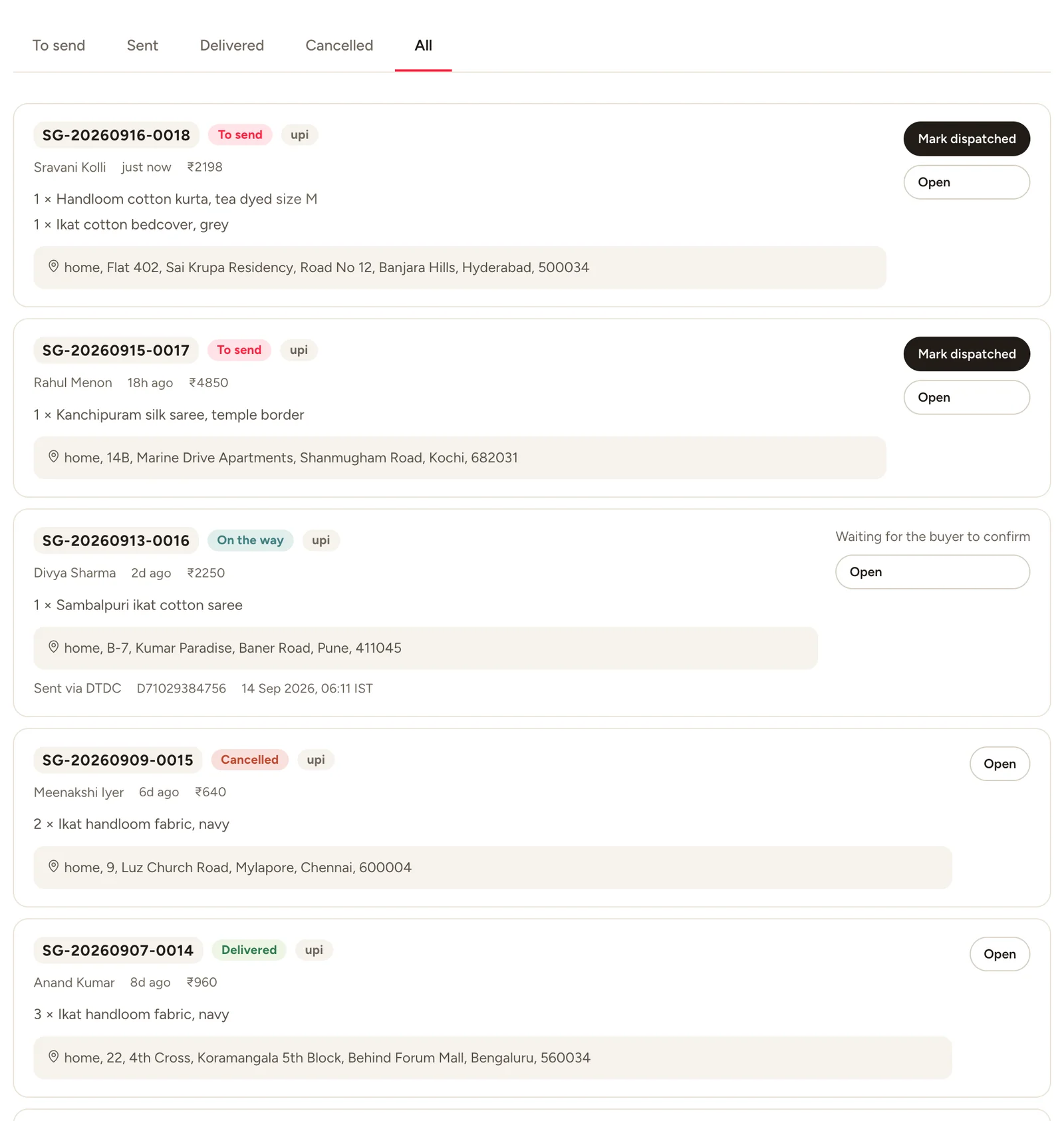
An order has four states, and it moves through them in order: To send, On the way, Delivered, or Cancelled. Your Orders page has a tab for each, plus All, and the tab for On the way is called Sent. Only the first one has work in it.
To send
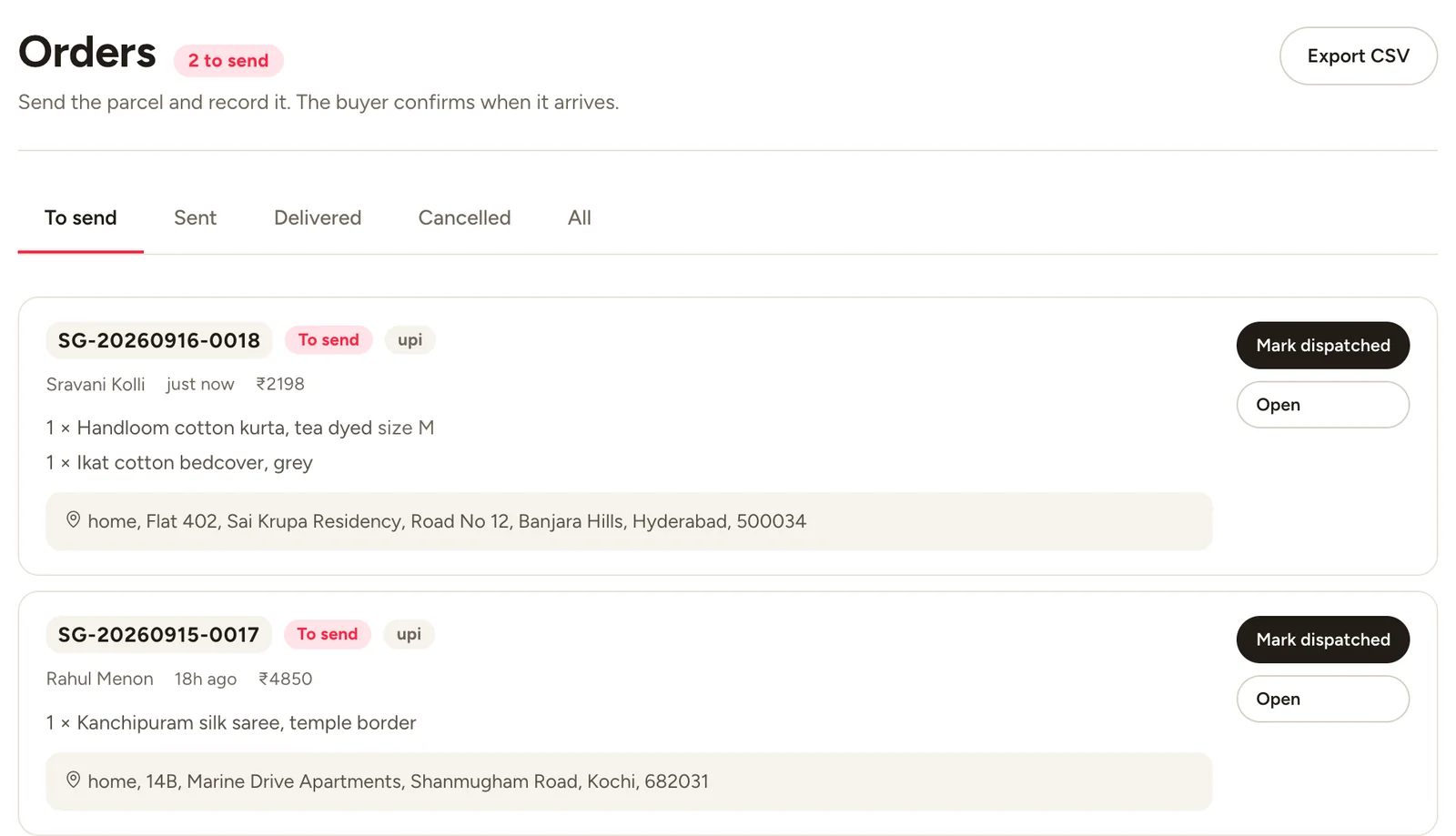
The buyer has paid and the parcel is with you. The order shows in the To send tab, and the number next to Orders in the rail counts these. Your job is to pack it and mark it dispatched: see sending an order.
While an order is here, the buyer can still cancel it from their side, and if they do, the stock comes back to the product. See cancelled orders.
On the way
You marked it dispatched. The order moves to the Sent tab, and the buyer sees On the way with the courier name and tracking number you gave, if you gave them. There is nothing more for you to do unless the buyer messages you.
Only the buyer can move it on from here, by confirming they received it. See why you cannot mark an order delivered.
Delivered
The buyer confirmed the parcel arrived. The order is closed. The buyer can then leave a rating, on the website or in the app, which you see on your Reviews page.
Cancelled
The buyer cancelled before you sent it. There is nothing to do; the stock is already back.
The order number
Every order has a number like SG-20260915-0042: the date it was placed and a running count. It is what you and the buyer both quote when you talk about the order, and it is on the order page, in the Orders list and in your CSV export.
On the order page
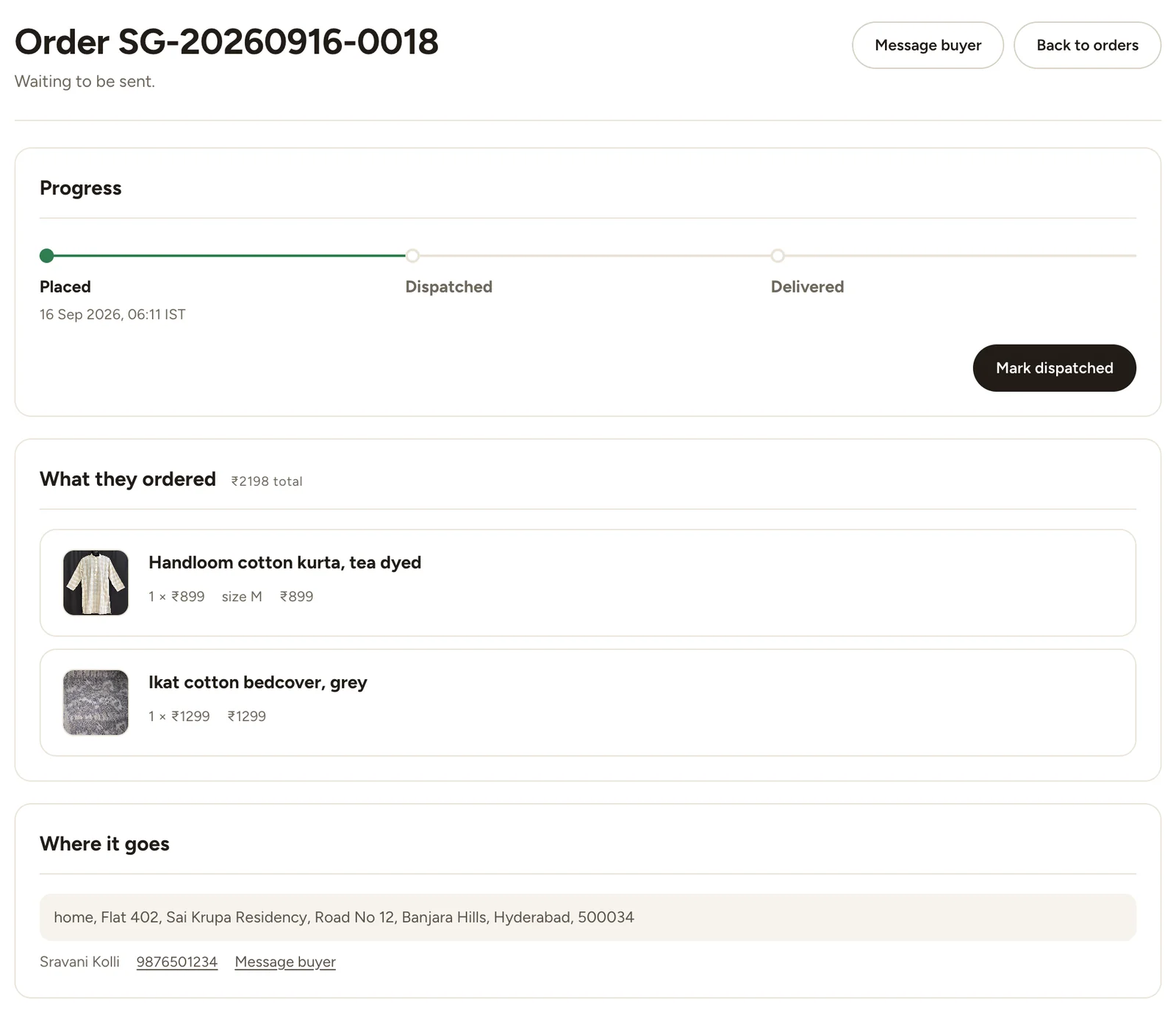
Open any order and the Progress panel shows the same states as a timeline, Placed, Dispatched, Delivered, with the date and time each one happened. Below it are the items, the total, the delivery address, and the button to message the buyer.