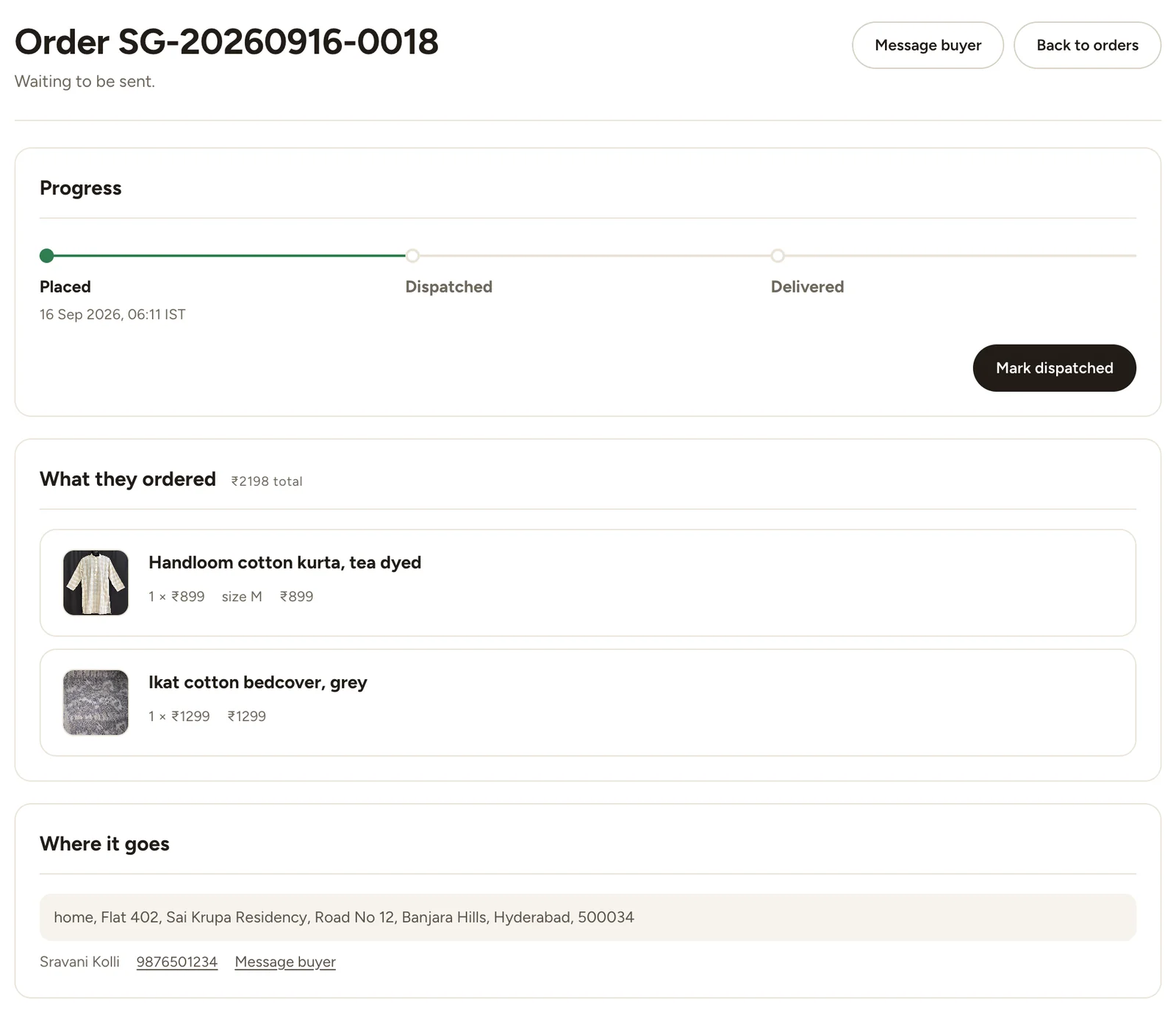
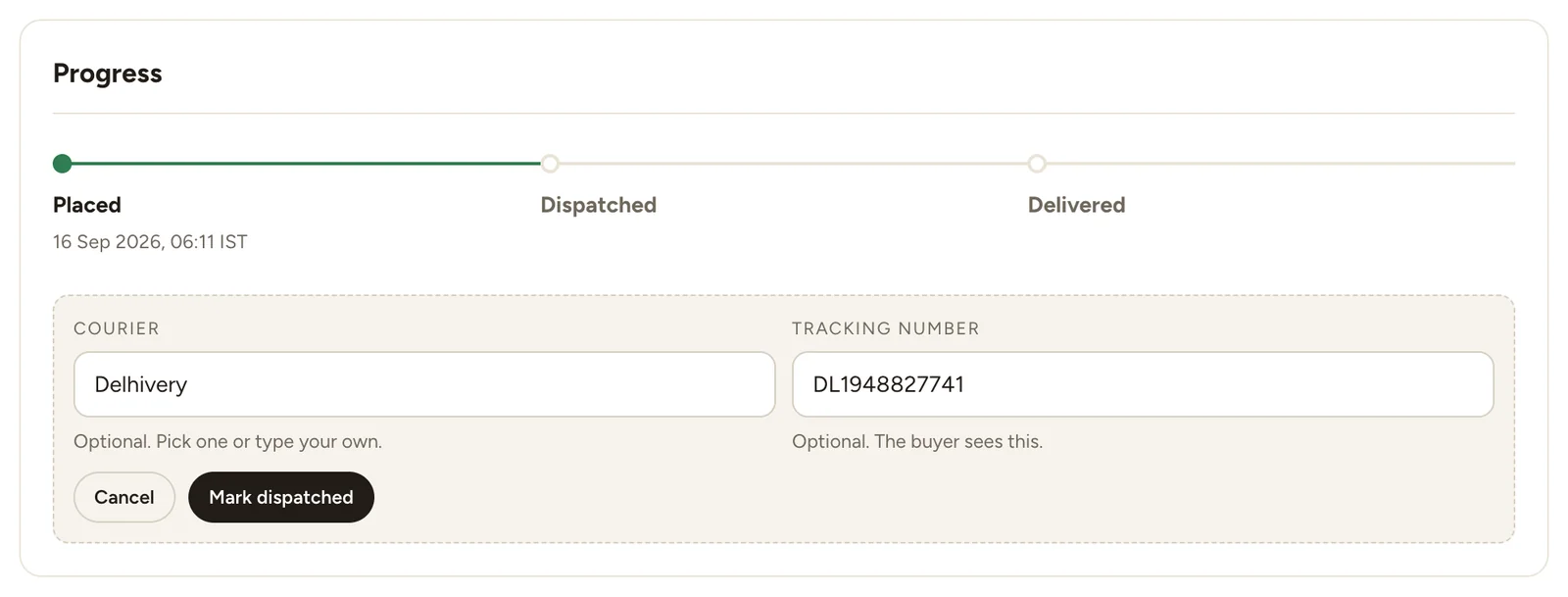
To send an order, pack it, post it with the courier you use, and then press Mark dispatched on the order. Add the courier's name and the tracking number if you have one, and the buyer can follow the parcel from their order page.
Before you post it
Open the order from the To send tab on Orders, or from the Overview page. What they ordered lists every item and its size and quantity. Where it goes is the delivery address, with the buyer's name and phone number for the label. Pack it, write the address on the parcel, and take it to the courier or book a pickup.
You choose the courier. India Post, Delhivery, DTDC, XpressBees, a local courier, or your own two hands for a nearby buyer, all count. You can send each order yourself like this, and then the courier is your cost, or have Sagazo book the courier through its shipping partner, and then the buyer pays the quoted delivery charge at checkout. Our post on what couriers charge in India compares the common ones.
Marking it dispatched
- On the order, press Mark dispatched. You can also do this from the row in the Orders list.
- Courier: on the order page, pick one from the list or type the name; in the Orders list, type the name. Optional.
- Tracking number: the number on your courier receipt. Optional, and the buyer sees it.
- Press Mark dispatched.
The order moves to On the way. The buyer gets a notification, and their order page shows Sent via the courier you named. For Delhivery, Ekart and XpressBees, the tracking number becomes a link the buyer can tap to see where the parcel is. For other couriers it shows as a number they can look up on the courier's site.
You can send an order without a courier name or a tracking number. The buyer is then told it is on its way and nothing more, so give the tracking number whenever you have one. It is the one thing most likely to stop a buyer messaging you to ask where the parcel is.
After that
There is nothing more to do until the buyer confirms delivery. The order sits in the Sent tab, where its row reads On the way. The buyer confirms it from their orders page. If the buyer has not confirmed after 3 days, we remind them once. See why you cannot mark an order delivered.