If you think we got a decision wrong, ask us to look at it again. Someone looks at it afresh and answers within 7 days. Where we can, that is someone who didn't make the first decision.
How to ask
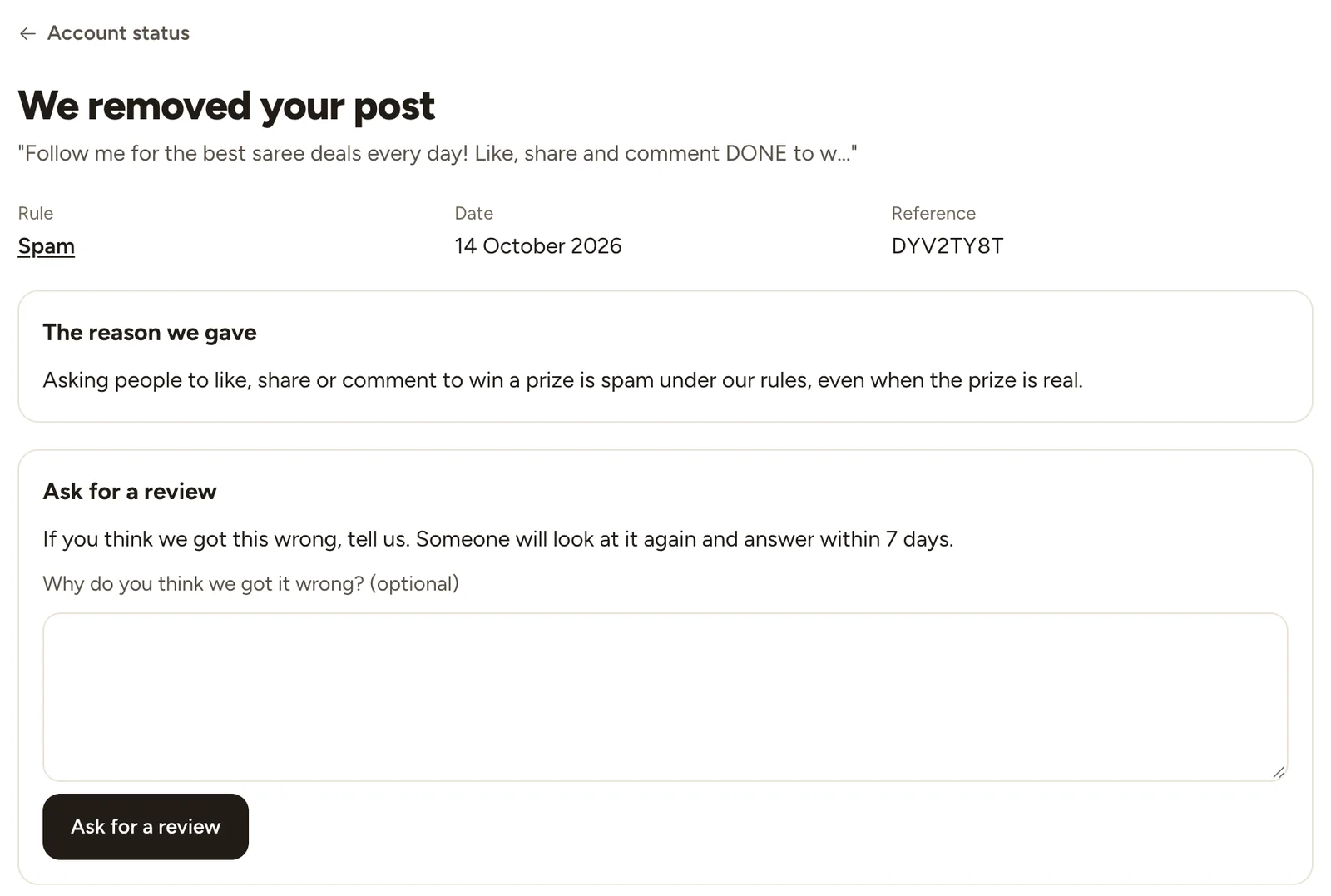
- Open your Account status page and press the decision. On the website it is in Settings, on the Account tab. In the app, open Settings, then Account status.
- Under Ask for a review, say why you think we got it wrong. This is optional, and it can be up to 1000 characters.
- Press Ask for a review. The page then shows the day you asked and the day we will answer by.
If you can't log in because of a suspension or a closed account, use the form Sagazo shows you when you try to log in.
The rules
- You can ask within 30 days of the decision.
- You can ask once for each decision.
- A circle admin's decision can't be reviewed by us, because a circle's admins decide what fits their circle.
Our answer
We tell you in your notifications, and the answer is on the decision's page too.
If we reverse the decision, what we removed comes back, or the suspension or closure ends. If we keep it, you can appeal to the Grievance Appellate Committee within 30 days of our answer, at gac.gov.in.
After 30 days
The button goes away, but you can still write to our Grievance Officer. See Making a complaint.