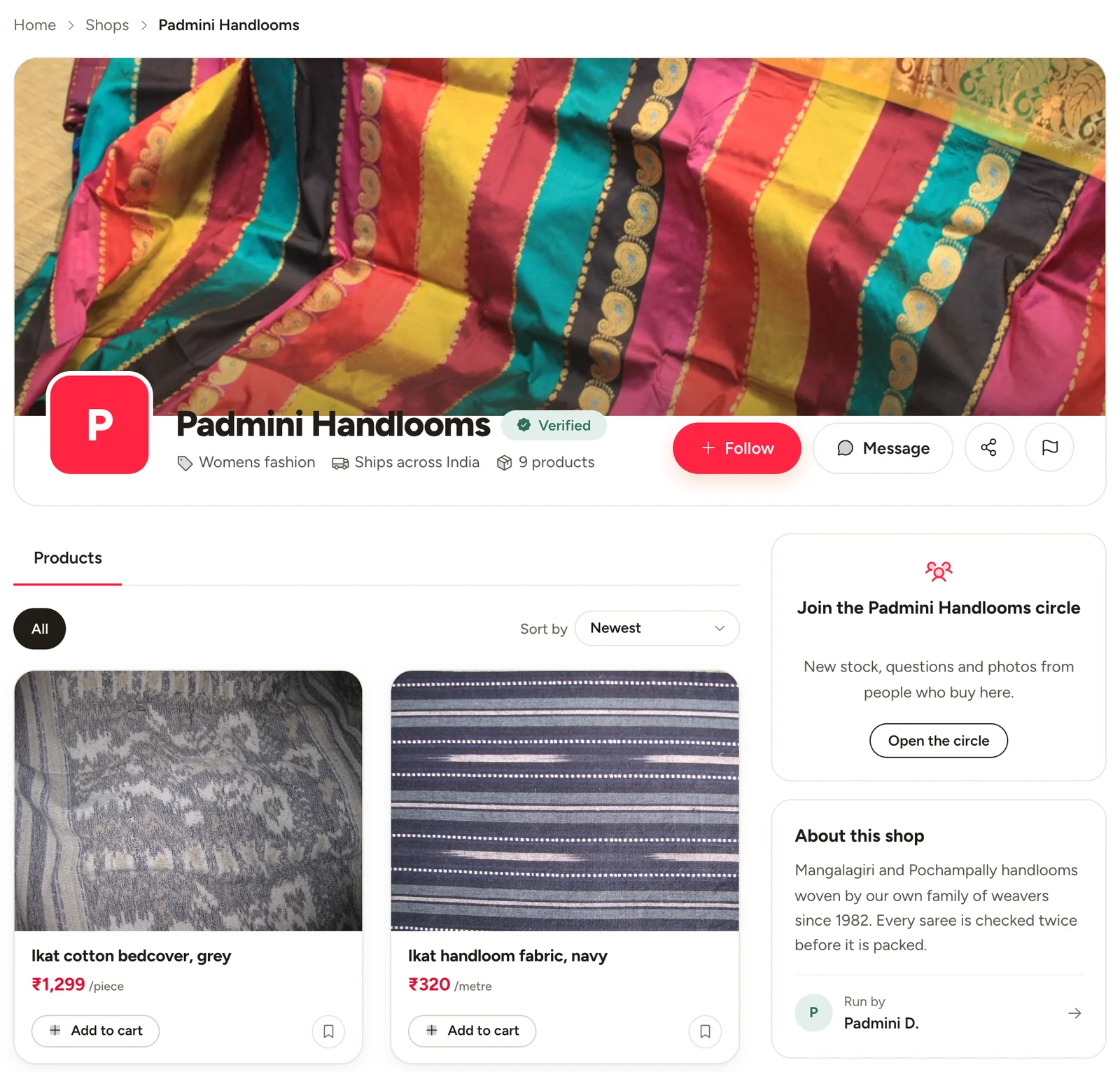
Your shop page is what a buyer sees at sagazo.com/shop/your-shop-name. It shows a banner across the top, your shop name with a Verified badge once we have checked the shop, and what you sell. Under that come a line or two about the shop, the person who runs it, and your products in a grid. The Storefront page in your console is where you set those up, with a preview of the page as a buyer sees it.
The banner
The banner is a wide image across the top of the page. Press Choose an image under Banner image, pick a photo, and press Save banner. A photo of your workshop, your shop front, or your best products laid out together works well. Without one, the page shows a plain coloured band with your name below it, which is fine to begin with.
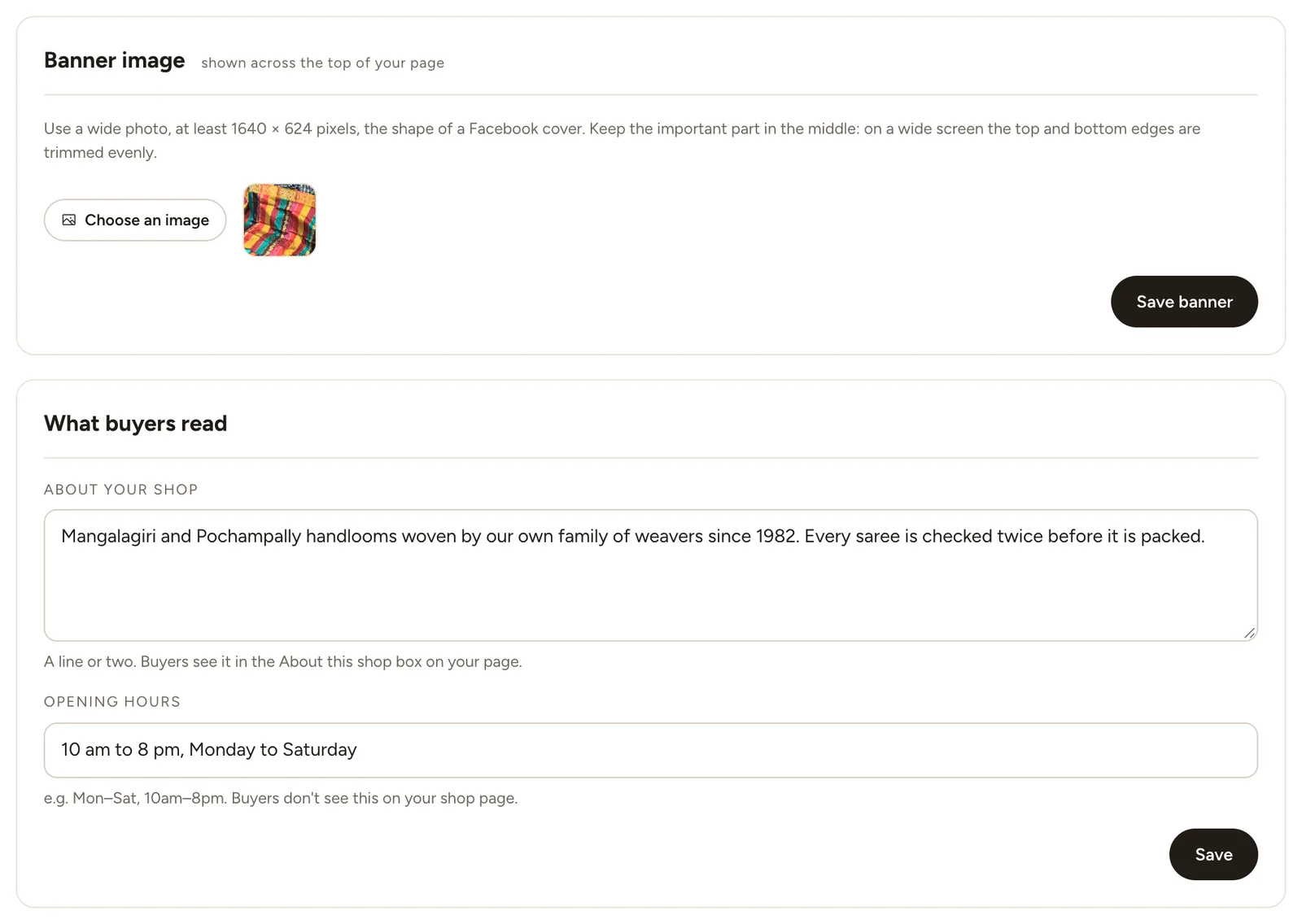
The banner keeps the shape of a Facebook page cover, about two and a half times wider than it is tall, and is never taller than 320 pixels. A photo of 1640 by 624 pixels or larger works best. On a phone the whole photo shows; on a wide screen the top and bottom edges are trimmed evenly, so keep the important part in the middle.
About your shop
This is a line or two about your shop. Say what you make or sell and where you are: "Block-printed cotton bedsheets, made in Jaipur and posted anywhere in India." Buyers see it in the About this shop card on the page. A search result shows it under your shop name too, so lead with the products.
Opening hours
This field is optional, in the form "Mon to Sat, 10am to 8pm". It is kept with your shop details and is not printed on the shop page today.
Name, category and contact details
Your shop name and What you sell are in Settings, not here, because they change rarely. Your phone number, email and address are also in Settings. They are used for orders and couriers and are not printed on the shop page. A buyer who wants to reach you presses Message on your shop page instead. See messaging a buyer.
The rest of the page
Buyers can follow your shop from the page, and once someone does, the follower count shows in the line under the name. The products are shown newest first, and a buyer can sort them by price or by name. More of them load as a buyer scrolls down, until every product is on the page. Each has a price and an Add to cart button. The person named under Run by is you, and the name links to your profile.