Anyone with a Sagazo account can start a circle. It goes live the moment you create it, and as its creator you run it.
Start one
- On the website, open Circles and press Create Circle. The Create a new Circle tile under Your Circles does the same.
- In the app, open the Circles tab and press Create Circle.
A form called Start a circle opens.
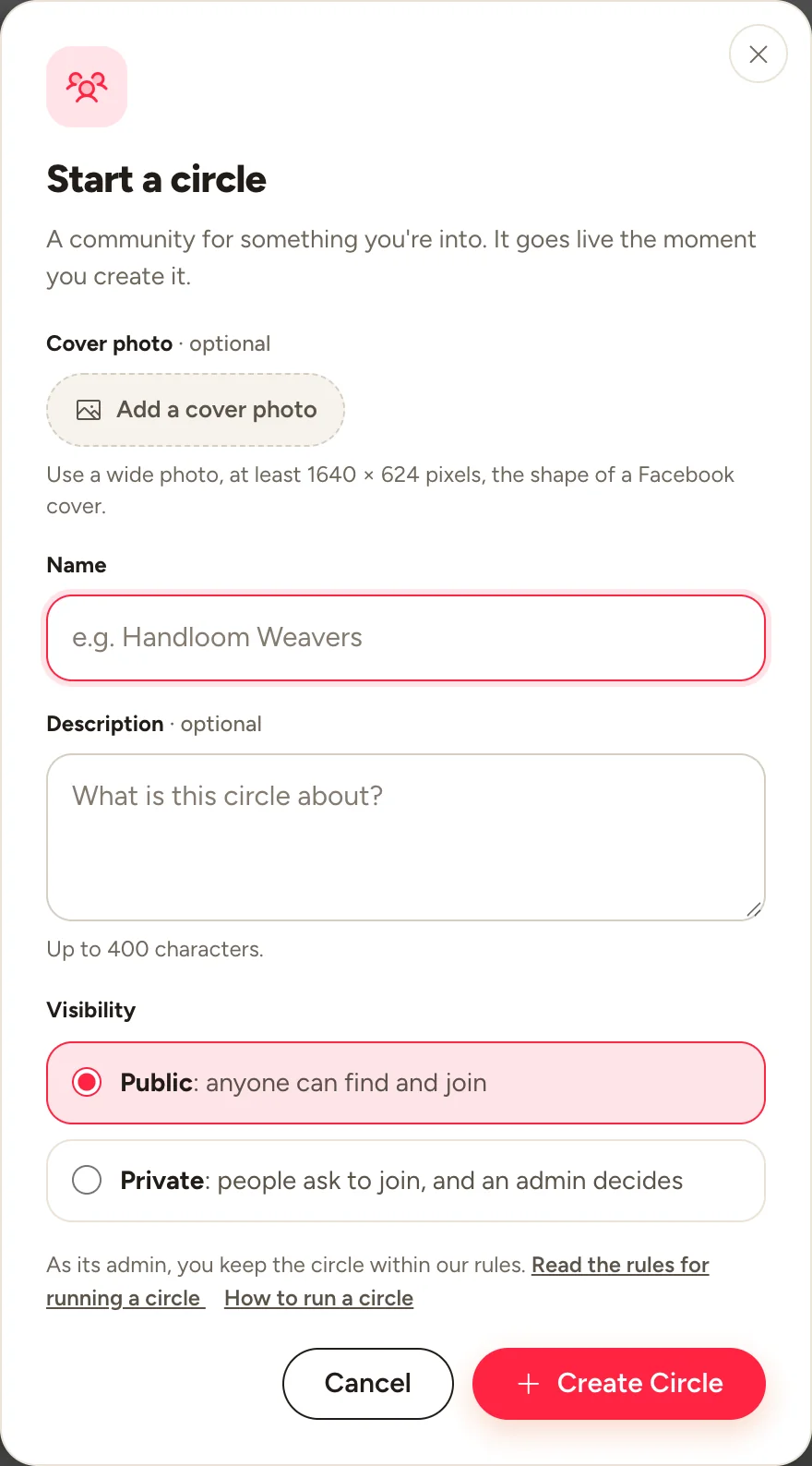
Fill in the form
- Cover photo, if you want one, up to 10 MB. A wide photo works best, the same shape as a Facebook cover.
- Name. This is the one thing you must fill in, up to 60 characters.
- Description, if you want one: what the circle is about, in up to 400 characters. The circle's page shows its first two lines.
- Visibility. Public means anyone can find the circle and join it. Private means only members can read it. New people ask to join, and an admin lets them in. A private circle isn't listed on Circles or found by search, so people reach it through its link.
Then press Create Circle.
After you create it
Sagazo says "Your circle is live. Invite a few people to get it going." and opens your new circle with its invite link ready to share. See Inviting people to a circle.
You are the circle's creator and its first member. You can make other members admins to help you, and you are the only one who can delete it. See Running a circle.
Good to know
- You can change the cover, name, description and visibility later, and add rules, in the circle's Settings tab.
- A circle isn't tied to a city. Anyone in India can find and join a public one.
- You can start up to 5 circles a day.
- If you have a shop, the setup list in My Shop offers to start a circle for your customers. Once you do, your shop's page links to it.