A circle is run by the person who created it and by its admins. Admins can do everything the creator can, except delete the circle. It all works the same on the website and in the app.
Requests to join
In a private circle, requests wait on the Members tab under Requests to join. Press Approve to let someone in, and they get a notification. Press Decline to turn them down. They aren't told, and they can ask again.
Admins
On the Members tab, press Make admin on a member's row. Sagazo asks first, and the new admin gets a notification. Remove admin makes them a plain member again. A circle can have any number of admins.
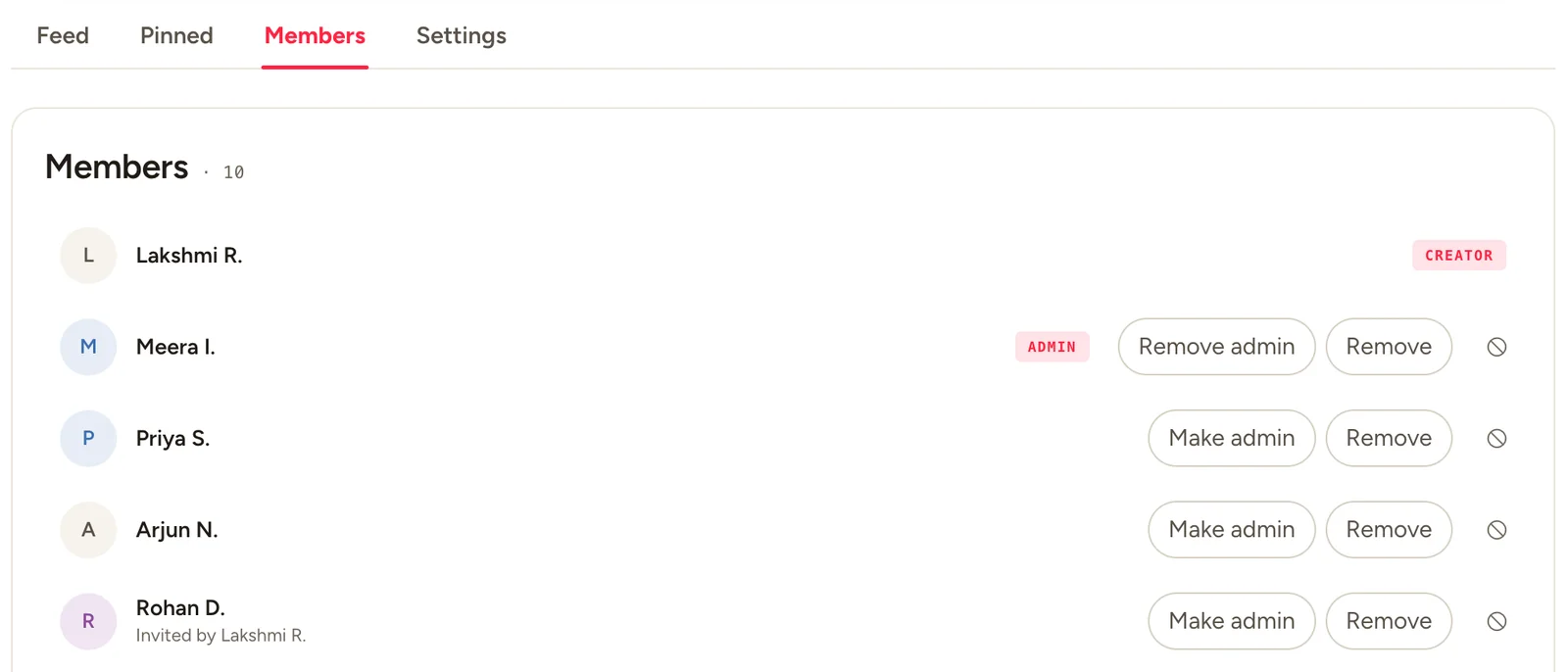
Nobody can remove the creator, and the creator's place can't be handed to anyone else.
Removing a member
Press Remove on their row. They can't post in the circle or use its chat any more, and they are told. In a private circle they can't read its posts either. Their own posts stay. They can't join again, or ask to, until an admin lets them back in: on the Members tab, under Removed members, press Let back in.
The circle's rules
On the Settings tab, under Rules, write up to 10 rules of up to 200 characters each, then press Save rules. People see them on the circle's page, before they join, and when they post in the circle. They add to our Community Guidelines and can't allow anything the guidelines don't. See our rules for running a circle.
Keeping it on topic
- Pin a post in the circle: open it, press the three-dot menu and choose Pin in circle. A circle keeps up to 10 pinned posts in its Pinned tab. See Pinning a post.
- Remove a post: press the three-dot menu on it and choose Remove from circle. It comes down for everyone, from the circle and from Discover.
- Hide a comment on a post in the circle: press ⋯ next to it and choose Hide comment. It goes for everyone, with its replies.
- Remove a chat message: in the circle's chat, open the message's menu and choose Remove message. It then reads "Removed by the circle's admins".
When you remove or hide something, its author is told which circle it was. Admins can't undo these, but our moderators can put a post, comment or message back. We don't review what a circle's admins decide. Anything that breaks our rules can still be reported.
Name, cover and visibility
The Settings tab is also where you change the cover photo, the name and the description. A new name doesn't change the circle's link, so links you already shared keep working. Flip to private or Flip to public changes who can read the circle, the posts already in it included. Sagazo asks first.
If you might stop running the circle one day, make another member an admin. If the creator deletes their account, the circle stays, but nobody can run it unless it has another admin.