A circle is a group on Sagazo for something people are into, with its own posts and its own chat. You can join a public circle straight away. A private circle needs a request, and one of its admins lets you in. You need to be logged in to join either.
Find a circle
Open Circles: in the left menu on a computer, or the Circles tab at the bottom of the screen on a phone and in the app. Discover Circles lists the public circles you aren't in yet, the most active first. Search finds public circles by their name or description too.
Private circles are never listed, and search doesn't find them. You reach one through a link that a member shares with you.
Join a public circle
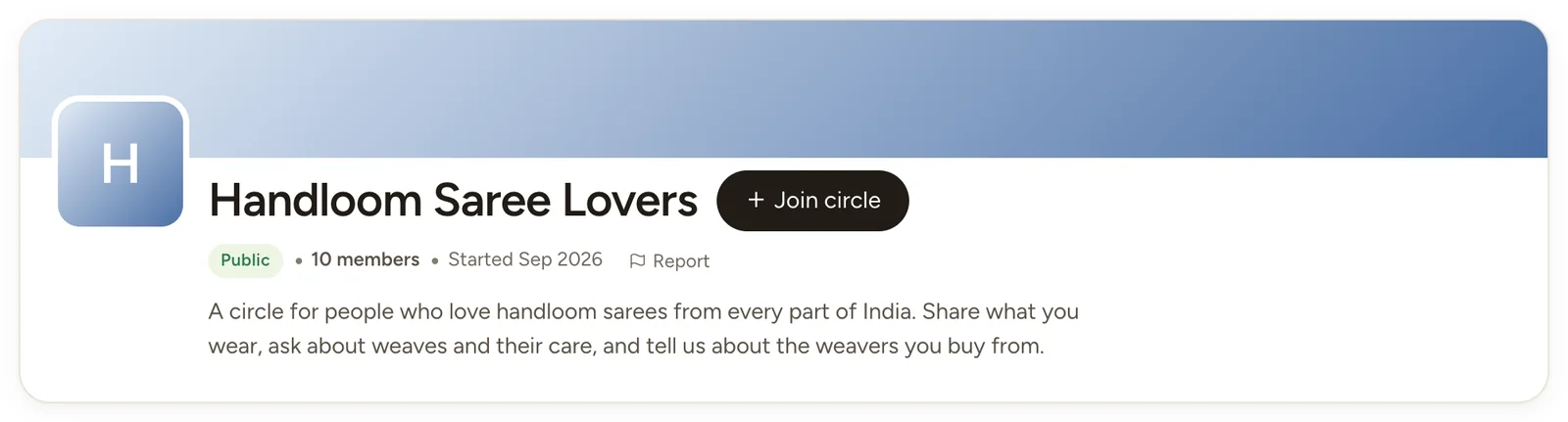
Press Join circle beside the circle's name. You are in at once, and the button changes to Member.
Ask to join a private circle
Someone outside a private circle sees its name, description and rules, but not its posts or members.
- Press Request to join.
- Your request waits for an admin. The page shows Request sent, and Cancel request takes it back.
- When an admin approves it, you get a notification and you are a member.
If an admin declines your request, you aren't told. The button goes back to Request to join, and you can ask again later.
When a circle has rules
Some circles have rules of their own. Then Join circle or Request to join shows them first, under Before you join. Read them, then press Join circle or Ask to join, or Cancel. The rules stay on the circle's page, under its description. Sagazo's Community Guidelines apply in every circle as well.
Joining from a post
A post in a circle shows Posted in and the circle's name, with Join beside it. A link to a circle in a post shows the circle's card, with a button to join. For a private circle, either one sends your request.
If you can't join
If a circle's admins removed you, Sagazo says "You can't join this circle." You can join again only after one of its admins lets you back in.
Once you are in
- Post in this circle, Chat and Invite appear under the circle's description.
- New posts in the circle show in your Following tab on the home page.
- Once a day, at 6 PM, India time, you get one notification when your circles have new posts by others.
To stop that daily update for one circle, or to leave, see Leaving or muting a circle.