You register a shop on the become a seller page. Press Start selling and fill in the form. If you are not signed in, the sign-in box opens first and asks for your phone number. The whole thing takes a few minutes, and there is nothing to pay.
What the form asks for
The form asks for the things a buyer and a courier need to know about your shop.
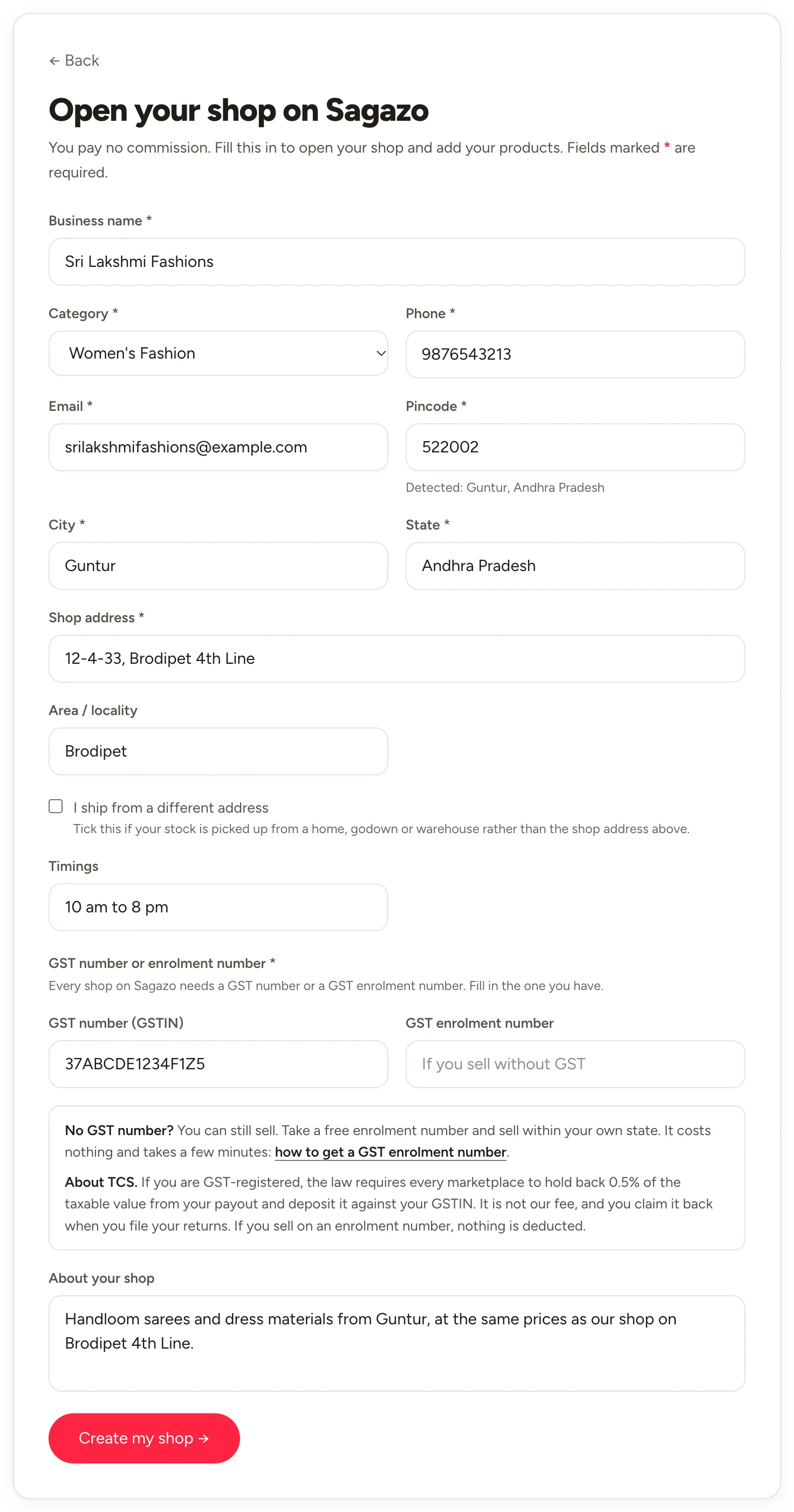
- Business name. This is the name buyers see, so use the one on your board or your bills, for example Sri Lakshmi Fashions.
- Category. What you mainly sell.
- Phone and email. We use the phone number to verify the shop, so give one that you answer.
- Pincode, city and state. Type the pincode and the city and state fill in for you.
- Shop address and, if you like, the area or locality.
- Timings, such as 10am to 8pm. Optional.
- Your GST number, or your GST enrolment number if you sell only inside your own state and stay under the yearly limit. You need one of the two to open a shop. See GST number or GST enrolment number.
- About your shop. A line or two buyers read in the About this shop box on your shop page. Optional here, and worth doing: it is one of the setup steps your shop console asks for.
If parcels leave from somewhere other than your shop address, tick that box and add the pickup address, its pincode, and a contact number for that address. The courier calls that number when they come to collect, so it has to be a person who is there. There is more on this in pickup address: when it is different from your shop.
What happens next
The moment you send the form you land on a confirmation page and your shop exists. From there you can go straight to Add your products. You do not have to wait for anything.
Your shop console opens with a short setup list: add your products, set up your storefront, start a circle for your customers, check your settings. Each one links to the page where it happens, and the list goes away on its own once your shop has products, an About line and a circle. See what each page in your shop console does.
We verify every new shop within 24 hours. Until then your products are visible only to you, and they go live to buyers on their own the moment the shop is verified. Why your products are hidden until your shop is verified explains what we check.
Your shop has its own web address from the start, in the form sagazo.com/shop/your-shop-name. See your shop link and how to share it.