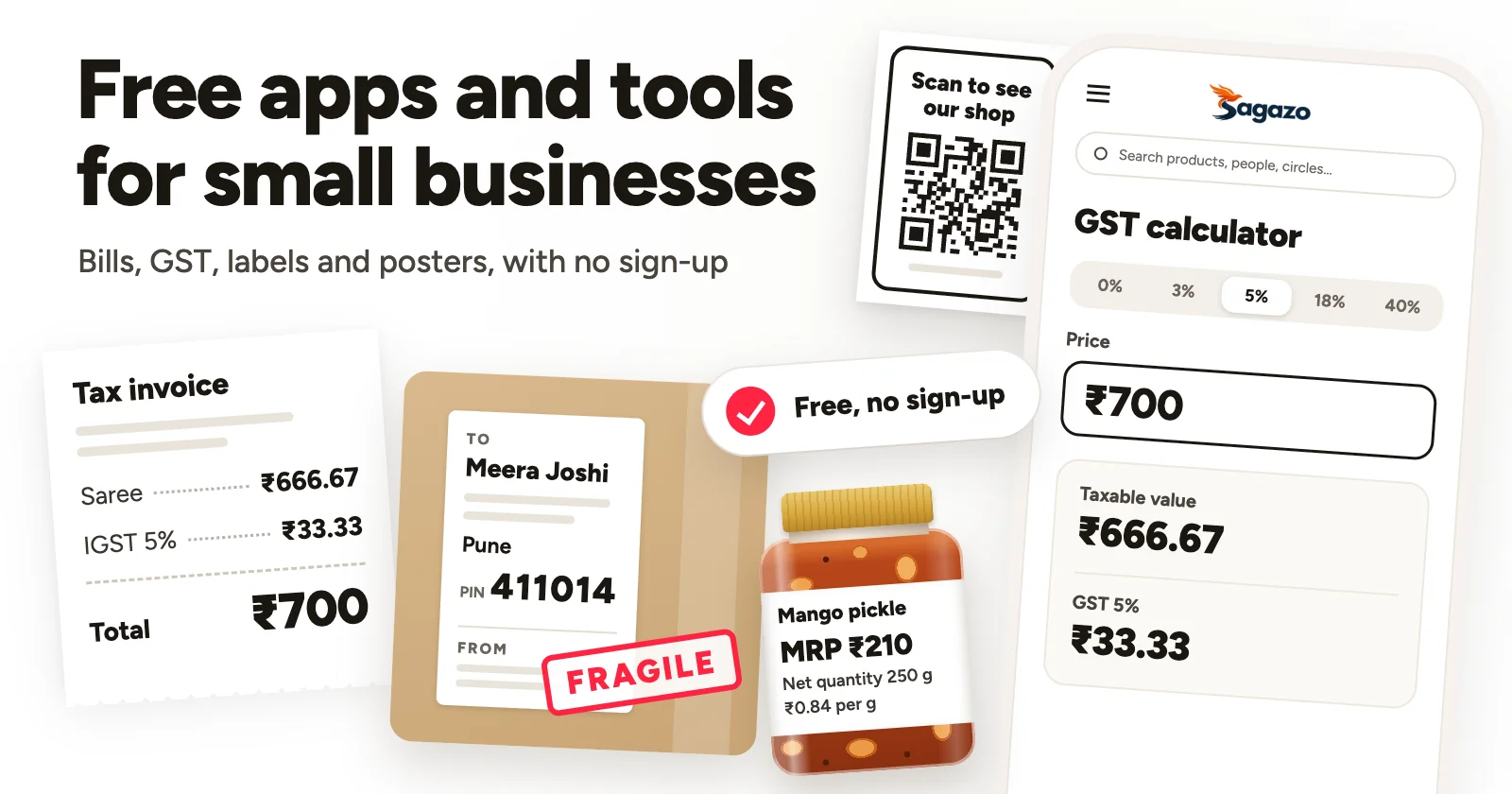
Many of the websites and apps a small business in India needs are free. The GST portal, gst.gov.in, charges no fee to register. A small seller who sells only inside their own state can get a free enrolment number there instead. Anyone can check a GST number on the portal without logging in. Udyam registration, the government's registration for small businesses, is free too. India Post's Dak Sewa app tracks parcels and works out postage, and WhatsApp Business is free to download and use. Sagazo's free tools for online sellers make bills, shipping labels, product labels and QR posters in your browser, with nothing to sign up for. A few free things come with a catch. The GST portal's help page says the billing software listed there is only for registered businesses. Google's free Business Profile is only for businesses that meet their customers in person.
Which government websites can a small business use for free?
Start with the GST portal. The application form for GST registration says no fee is payable, so registering costs nothing unless you pay an accountant to file it for you. Our guide to registering for GST online goes through the form step by step. If you sell only inside your own state and your sales stay under your state's limit, you can sell online with the free GST enrolment number instead of registering. For goods, that limit is ₹40 lakh of sales a year in most states. Who needs GST to sell online explains when you have to register.
Two of the portal's searches work without logging in. The first is Search Taxpayer, on the portal's home page. Type in a GSTIN, the 15-character GST number, and it shows the business's legal name, trade name, date of registration and the returns it has filed. That is worth a minute before you buy stock from a new supplier, or before you put a business buyer's GSTIN on an invoice. The second is the HSN search, which looks up the code that decides a product's GST rate. HSN codes and GST rates for common products lists the usual ones.
Udyam registration is free on udyamregistration.gov.in, the government's own portal. The portal warns about fake sites and says "No Costs or Fees are to be paid to anyone". A website that asks you to pay for Udyam registration is not the government's. Free Udyam registration for a home business explains what it gets you.
You can file your income tax return on incometax.gov.in for free, and income tax for home sellers explains when you have to file one.
IP India, the government's trademark office, has a free search that shows whether someone already holds a name. It asks you to log in with an OTP, a one-time code sent to your email or phone. Before you print a shop name on labels and bags, our post on trademarks shows how to check whether a shop name is already a trademark.
Does the government give free GST billing software?
The GST portal's help page on billing software describes a list of billing and accounting software made by other companies, and it says only part of the software is free. It says the list is for businesses registered for GST whose turnover, their total sales in a year, is under ₹1.5 crore. It also says you reach the list after logging in to the portal.
The free part is what the page calls "certain basic features", such as making invoices, keeping sales and purchase ledgers, managing stock and preparing GST returns. When we read it in November 2026, it still gave 31 March 2021 as the end of the free period. After that, the company that makes the software may charge a fee. The page also says the portal sends you to that company's website to download it, and that the company's own terms apply. GSTN, which runs the GST portal, says it has no control over the software.
A seller on the free enrolment number, or with no GST number at all, is not registered, so the list is not for them. Such a seller gives a simple bill with no GST on it. Take a ₹700 saree, which is taxed at 5%. A registered seller's tax invoice splits the ₹700 into ₹666.67 before tax and ₹33.33 GST. A seller on the enrolment number bills the same ₹700 with no GST line at all. Sagazo's free invoice maker makes either kind. How to make a GST invoice or a simple bill explains which document each seller needs. If your shop is on Sagazo, GST number or enrolment number shows which one to enter in your shop's settings.
The government's e-invoice system is a different thing. It registers each invoice on a government portal. Only sellers whose turnover passed ₹5 crore in any year from 2017-18 onwards have to use it.
Which billing and khata apps are free, and what is the catch?
People often search whether Zoho Invoice, Khatabook, Vyapar and myBillBook are free. This is what each one's own website or app store listing says, as of November 2026.
Zoho Invoice says it is free for all Indian businesses. It allows up to two users and 500 invoices a year, and it carries "Powered by Zoho Invoice" branding. Zoho also says that if an account is not used for more than 180 days, its data is deleted, after a warning.
Khatabook is an app for keeping a khata, the record of who owes you money and who has paid. It also makes GST and non-GST bills to share on WhatsApp. It is free to download, and its Google Play listing says it contains ads.
Vyapar, a billing and stock app, says on its website that it is free on a phone, with a lifetime free plan that has basic features. On a computer it offers a free trial.
myBillBook gives first-time users a free trial in its mobile app. After that, its pricing page lists only paid plans.
Free plans change, so read the app's pricing page before you keep all your bills in one.
Which free tools make bills, labels and QR posters?
Sagazo has eight free tools for sellers, each on its own page:
- The free invoice maker makes a GST tax invoice, a bill of supply or a simple bill without GST, as a PDF you can download or share on WhatsApp.
- The GST calculator adds GST to a price or takes it out, and splits it into CGST and SGST for a buyer in your state, or IGST for one in another state.
- Amount in words writes a rupee amount in words in English, Hindi, Telugu, Tamil and Kannada, with lakh and crore.
- The shipping label maker prints address labels for parcels on A4 paper or a label printer, with a packing slip.
- The volumetric weight calculator shows the weight a courier bills you for, from the box size and the parcel's weight.
- The product label maker prints stickers for packed products with the MRP, the net quantity and the other lines the law asks for.
- The selling price calculator works out the price that leaves the profit you want once your costs, fees and tax are paid.
- The QR code poster for your shop prints a code that opens your shop when someone points a phone camera at it.
The tools are free and need no sign-up. They work in your browser, on a phone or a computer, and nothing you type in them is sent to Sagazo. While "Remember on this device" is on, your shop's details stay in that browser, so you don't type them again. Your buyers' names, addresses and phone numbers are never kept. If you have a shop on Sagazo and are signed in, four of the tools fill in your shop's details for you. They are the invoice maker, both label makers and the QR poster. Every tool page is in English, Hindi, Telugu, Tamil and Kannada.
Which free government apps are worth keeping on your phone?
Two free apps from the government help with parcels and with checking stock. This is what their store listings say, as of November 2026.
Dak Sewa is the Department of Posts' free app for Android and iPhone. On the iPhone it is called Dak Sewa 2.0. It tracks Speed Post and registered parcels, and it works out the postage for a letter or a parcel from its weight. It also finds the nearest post office from a PIN code. The India Post website has a postage calculator too, and courier and Speed Post charges in India compares the ways to send a parcel.
BIS Care is the Bureau of Indian Standards' free app, on Android and iPhone. Type in the licence or registration number printed on a product, and the app shows the maker's name and address, and whether the licence is valid. For hallmarked jewellery you type in the HUID, a six-character code on the piece, and it shows the purity. The app is made for buyers, and you can use it the same way when you buy jewellery or electronics as stock. Through the app you can also complain about a product that misuses a BIS mark. Selling hallmarked silver jewellery online explains how a hallmark and its HUID work.
Is WhatsApp Business free?
WhatsApp Business is free to download and use in India. As of November 2026, its Google Play listing says the app has "a mix of free and paid features". The app gives a business a profile, a catalogue of its products, quick replies and away messages, and labels to sort its chats. You can keep your personal WhatsApp on the same phone, as long as the business account has a different phone number.
Can a home seller get a free Google Business Profile?
A Google Business Profile is free, but only a business that meets its customers in person can have one. It is the listing that shows a business on Google Search and Maps, with its photos, products and reviews. Many people search for it as Google My Business. As of November 2026, Google's eligibility rules say "a business must make in-person contact with customers during its stated hours". They list "online-only businesses" among the ones that aren't eligible.
So a shop or a counter that customers visit during set hours qualifies. A business that goes to its customers, at their homes or offices, can have one profile for the area it serves, with its own address hidden. A seller who only sends parcels does not qualify. If you only sell online, how to sell online without a website covers other ways for buyers to find you.
Selling on Sagazo
If you make or stock products to sell, you can sell them on Sagazo too. A shop on Sagazo is free to open and has its own link, and Sagazo charges sellers no commission, no listing fee and no monthly charge. You can post each parcel yourself, and then the courier is your cost, or have Sagazo book the courier, and then the buyer pays the quoted delivery charge at checkout.
Tell us about your shop on the become a seller page and we will help you get set up.
Once your shop is open, the help centre shows where to find your shop link and how to share it.
This post is general information, not tax advice. The apps and the government pages in it are described as they were in November 2026.